
Mobile money actors and use cases
In the previous topic, we discussed the different channels that can be used to access the mobile money ecosystem. In this topic, we are going to discuss the different kinds of users in the mobile money ecosystem, and how they can use it.
Mobile money actors
Let’s start by looking at the three main types of Users in the Mobile Money ecosystem – Agents, Businesses and Customers.

Mobile money agent
A mobile money agent is someone who has registered on the mobile money operator’s platform to act on their behalf to provide mobile money customers with access to services, such as cash deposits and withdrawals, and money transfers. Agents can typically be found on every street corner, working from an informal booth or simply standing with their advertisement board displayed.
In most cases, agents can perform the same functions as a mobile money customer, however, they have additional functionality such as being able to accept deposits and facilitate withdrawals.

Mobile money customer
A mobile money customer is someone who has registered on the mobile money operator’s platform and now holds a mobile money account containing EMoney. The customer can transact with the value stored in their mobile money account in various ways. They can deposit and withdraw cash via a mobile money agent, send money to other customers, or pay for goods or services provided by a mobile money business.
Mobile money business
A mobile money business is an entity that has registered on the mobile money operator’s platform and now holds a mobile money business account. A business can be anything from an electricity provider, to a shop, to an online store. A business account or user has different functionality in the mobile money environment compared to agents and customers.
Depending on the type of User you are registered as, your mobile money menu may provide different sets of options and functionality to meet the requirements of the role you play. Your account may also have different limitations.
Use cases
There are many use cases for mobile money. We are going to discuss eight of the most common ones.

Agent deposits
In order for the mobile money ecosystem to work, and for users to transact, cash needs to be turned into EMoney, and this is where our first use case for mobile money comes in.
So how do we add money to the mobile money ecosystem?
This is done by the agent. The first step is for an aspiring agent to go to the Mobile Network Operator and register themselves as an agent. If they pass the vetting process, they will be registered on the ecosystem as an agent and receive a unique agent code.
The agent now goes to a physical bank and makes a deposit into the Mobile Money Operator’s bank account using their agent code as a reference.
In the background, the mobile money operator is notified by the bank system that there has been a deposit into their bank account. Using the agent code, they will create and assign the equivalent value on the agent’s mobile money account. This is known as the agent’s float account and is used to transact with customers.
At this stage, cash has been converted to EMoney for the agent, who is now ready to start operating. They can now either walk around advertising their mobile money services or work from a fixed booth.
Customer deposits
The next use case involves a registered mobile money customer depositing money into their mobile money account.
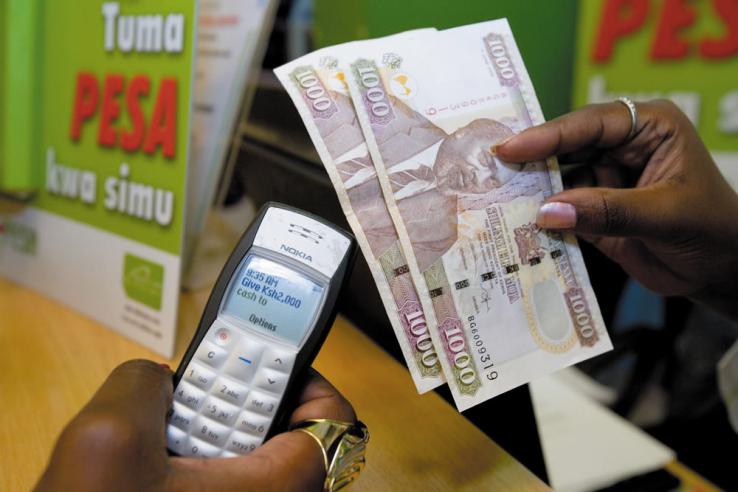
Let’s say John wants to deposit $100 into his mobile money account. He will walk up to an agent and hand over $100 cash. The agent takes the cash and enters the mobile money USSD code to open the mobile money menu on their mobile device. They now enter John’s mobile number and the amount to be deposited.
In the background, the specified value is moved from the agent’s float account to John’s mobile money account.
John will receive an SMS on his mobile device confirming that the agent has credited his mobile money account with the specified amount. Now when he does a balance check on his mobile money account, he will see the amount reflected.
Peer-to-peer transactions (transferring money)
The next use case we will cover is known as a peer-to-peer (P2P) transaction, which involves sending money between customers registered on the mobile money platform. Unlike the first two use cases we discussed, this transaction type, which was the most prominent use case when mobile money first began, does not usually involve an agent.

Let’s say John, who has $100 in his mobile money account, needs to send $50 to his wife Sarah who lives in a rural village.
John enters the mobile money USSD short code to open the mobile money menu on his mobile device, and selects the “Send money” option. He now enters Sarah’s mobile number and the amount of money he wants to send.
In the background, the specified amount is debited from John’s mobile money account and credited to Sarah’s mobile money account.
Sarah now receives an SMS notification to say the amount has been transferred to her account. John also receives an SMS to confirm the amount has been debited from his account.
It’s important to note that there are more complicated P2P transactions, such as when a customer wants to send money to a customer on another mobile money operator’s platform. We will cover these types of transactions in another course.
Customer-to-business transactions (buying goods)
Another common use case is the customer-to-business (C2B) transaction, which involves a customer paying a business for goods or services received. A business can be anything from a shop, to an electricity provider, to a TV subscription provider.

In this use case, a business will register themselves on the mobile money operator’s platform in order to open a mobile money business account. This is a specific type of account that offers additional functionality and fewer limitations than a regular customer account.
So lets say that KFC has registered as a business on the mobile money operator’s platform and has a unique short code that identifies them as a business.
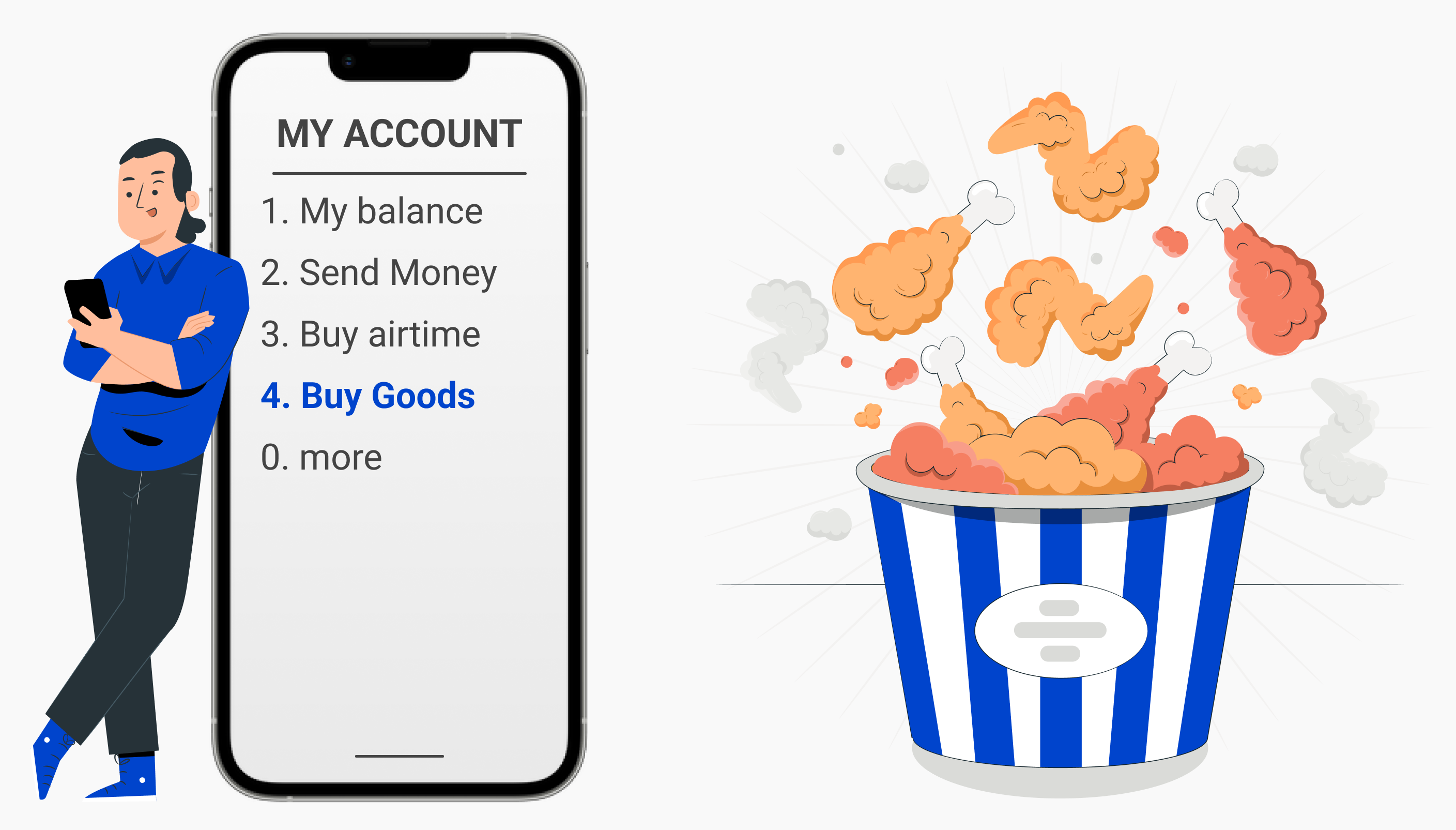
Now when John, who is registered on the mobile money platform, goes to KFC and orders a meal, he has the option to pay for it using mobile money. He simply enters the USSD short code on his mobile device to open the mobile money menu, and selects the “Buy goods” option. He then enters KFC’s unique short code, which is usually displayed at the point of sale, and the amount he wants to pay.
In the background, the amount is debited from John’s mobile money account and credited to KFC’s mobile money business account.
Now that the transaction is complete, KFC needs to be notified so they can give John his meal. This is called a third-party notification and it is where our iNSight Payment Gateway (iPG) comes into play. The iPG facilitates the integration of different service providers into the mobile money ecosystem and allows them to communicate with each other. In our example, the iPG platform integrates into KFC’s platform and notifies them of the payment into their account.
In cases where there are high volumes of payments – such as electricity providers – mobile money operators can build in a fixed menu option to buy electricity. This means the customer doesn’t have to enter the business’ short code when making a payment.
There is a lot of variation in C2B payments, and each business may require different input from their customers. For example, if you’re buying electricity you’ll need to enter your electricity meter number, but if you’re buying data bundles you’ll need to specify which bundle you would like to buy.
The iNSight Payment Gateway is incredibly powerful because it allows us to configure the user experience based on the specific use case, as well as the third-party’s requirements for integrating with their system.
Business-to-consumer payments
Business-to-consumer (B2C) payments involve a business paying a customer or person. For example, KFC could use this transaction type to pay their employees’ salaries, or pay John a customer reward.
This type of transaction cannot be initiated by the customer. Instead, the business initiates the transaction via an API.
Business-to-business payments
Business-to-business (B2B) payments involve one business paying another business. This is very similar to the B2C transaction type but in this case mobile money is being transferred from one mobile money business account to another mobile money business account, rather than a normal customer account.
An example would be a KFC franchise owner paying their chicken supplier for the chicken wings they received.
Customer withdrawals
The next use case we will discuss is a customer withdrawal, and it involves the removal of money from the mobile money ecosystem.
Let’s say Sarah needs to withdraw the $50 that John sent her from her mobile money account.
Similar to the customer deposits use case, Sarah finds an agent and tells them she wants to withdraw $50 cash. She enters the mobile money USSD short code on her mobile device to open the mobile money menu, and selects the “Withdraw money” option. She then enters the agent’s unique short code and the amount she wants to withdraw.

The agent now receives an SMS on their mobile device confirming that Sarah is requesting to withdraw $50.
In the background, the amount is moved from Sarah’s mobile money account to the agent’s float account.
The agent can now give Sarah the $50 cash that she has withdrawn. In this way, an agent is very much like an ATM – receiving cash for deposits and giving out cash for withdrawals.
Up to this point, all of the use cases we have discussed result in the movement of funds between accounts. It is extremely important to understand that despite this movement, the system must always balance. In other words, if there is an amount debited from one account, there will be an amount credited on another account, and vice versa.
Admin APIs
The last use case we will discuss is the admin API, which is an interaction with the mobile money ecosystem that doesn’t necessarily result in the movement of funds.
This could include the interaction between John and the mobile money ecosystem when he uses the mobile money USSD menu to perform a balance check on his mobile money account.
It could also include the interaction between KFC and the mobile money ecosystem when they request some of John’s details from the mobile money operator so they can update their database.
We have covered many of the common use cases for mobile money in this topic, but there are many many more.
In the next topic, we will look at the components that make up the mobile money ecosystem.
Summary
In this topic, we introduced you to the different types of users in the mobile money ecosystem including agents, customers and businesses. You should understand the role of each and the functionality and limitations of each account type.
We also covered many of the common use cases for mobile money including and agent deposits, customer deposits, P2P, C2B, B2C, B2B, customer withdrawals, and admin APIs. While these are the most commonly encountered use cases, it is important to understand that there are many many more that haven’t been covered here.
In the next topic, we will look at the components that make up the mobile money ecosystem.